
UDI for software: how to mark your MDSW with a UDI?
UDI for software: how to mark your MDSW with a UDI?
Regulatory Affairs Medical Devices MDSW
Wednesday, 22 February 2023

Anne-Sophie Grell, RA Manager MD at QbD Group

 Share
Share
 \
\
X (Twitter)
\
\
X (Twitter)  \
\
LinkedIn
\
\
LinkedIn  \
\
WhatsApp
\
\
WhatsApp  \
\
Copy link
\
\
Copy link  \
\
Mail
\
\
Mail
Each individual medical device must have a Unique Device Identifier (UDI) with its carrier (barcode or QR code). But what about medical device software? Read the answer in this article!
Play
UDI for software: how to mark your MDSW with a UDI? | QbD Group
AI-generated audio
5:30
We recently published a blog post about Unique Device Identifiers (UDI). While this blog post briefly explains what a UDI is and how to implement it on your medical devices, it may still be unclear how it applies to Medical Device Software (MDSW).
Well, the principle remains the same: each individual medical device must have a Unique Device Identifier with its carrier (barcode or QR code).
However, since it is impossible to print a barcode on software, the question remains how to implement the UDI on MDSW. Since this is a complicated question, the Medical Device Coordination Group has created a document with guidelines on UDI assignment to software ( MDCG 2018-5).
Recap: what is a UDI?
A UDI consists of a Basic UDI-DI and a UDI which comprises the UDI-DI (Device Identifier) and the UDI-PI (Product Identifier).
The basic UDI-DI (BUDI-DI) = the primary identifier of a device model. Assigned at the level of the device unit of use. It is the main access key for device-related information in EUDAMED and is referenced in relevant certificates, the EU Declaration of Conformity (EU DoC), Technical Documentation (TD), and Summary of Safety and Clinical Performances (SSCP).
The UDI-DI is a static number, that is required for each individual product and is specific to a version or model of a device. The UDI-PI identifies the production unit and, if applicable, the packaged devices. It provides information on the lot number, serial number, manufacturing date, expiration date, etc.
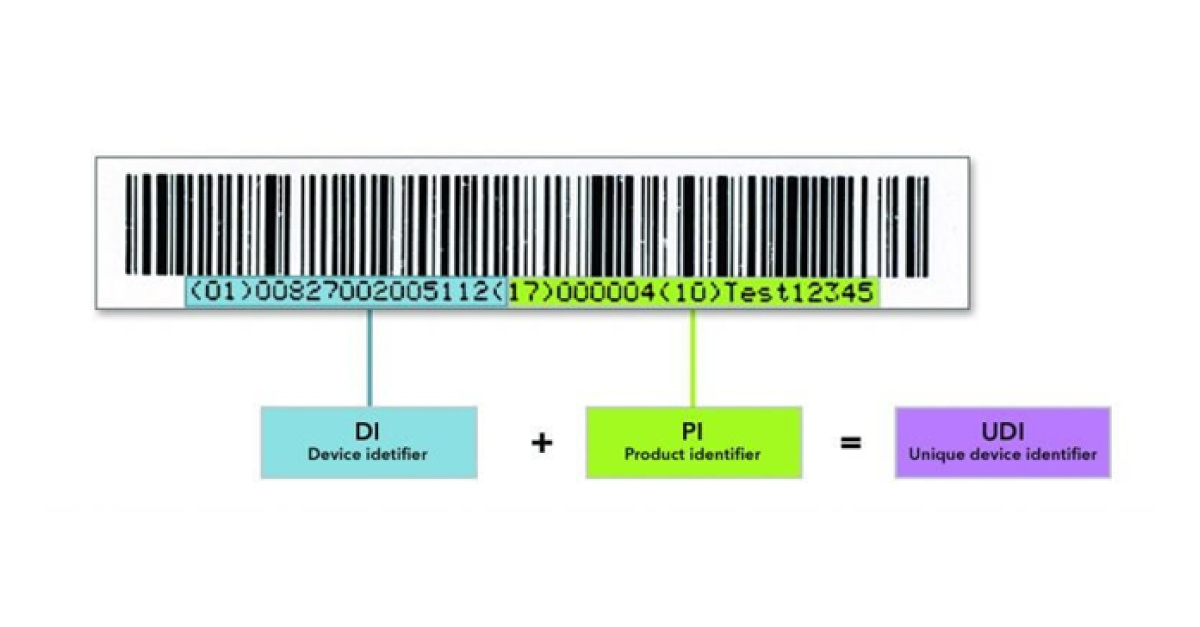
Figure 1 – Example of a UDI
A UDI consists of an Automatic Identification and Data Capture (AIDC) part and a Human Readable Interpretation (HRI) part.
- The AIDC is a technology used to automatically capture data, including bar codes, smart cards, biometrics, and radio-frequency identification (RFID).
- The HRI is a legible interpretation of the data characters encoded in the UDI. Both the AIDC and HRI should contain the complete UDI information.
As explained in our previous blogpost on UDI, there are 4 designating entities that can assign this:
- GS1
- HIBCC
- ICCBBA
- IFA
Assigning a UDI to software
Before assigning a UDI to software, check whether your software meets the definition of an MDSW. This is written in Annex VI part C of the Medical Device Regulation and the In-Vitro Diagnostic Regulation.
A UDI is only required for software that is commercially available on its own and software that constitutes a medical device in itself. See also MDCG 2019-11: Guidance on Qualification and Classification of SW in MDR and IVDR.
DI and PI modification
If there is a modification that changes the original performance, the safety or intended use of the software, or the interpretation of the data, a new UDI-DI is needed. Moreover,
- any change of the basic UDI-DI
- or a change to the
- name or trade name,
- version or model number,
- critical warnings or contra-indications,
- or user interface language
also require a new UDI-DI. This way, the traceability and correct identification of the medical device software are guaranteed.
Minor software revisions require only a new UDI-PI, not a new UDI-DI. Minor software revisions include
- bug fixes,
- usability enhancements that are not for safety purposes,
- security patches
- or operating efficiency.
These minor revisions have to be identified by a defined manufacturer-specific form of identification.
How to implement the UDI on the SW?
There are several ways to implement the UDI in the software, depending on how the software is delivered to the customer.
All the details are explained in Annex VI, Part C, point 6.5.4 of the MDR, and Annex VI, Part C, point 6.2.4 of the IVDR. Below is a small overview:
Physical medium
If the software is delivered on a physical medium, for example a CD or DVD, each packaging level shall have the HRI and AIDC of the complete UDI on it. In the EU, the UDI linked to your system level software should be the same as the one to your packaging level. In the US, a different UDI-DI is allowed for the packaging.
Software with User Interface
If there is an interface, the HRI UDI shall be provided on a readily accessible screen for the user in an easily-readable plain-text format. The UDI can for example be placed in an ‘about’ file or in the start-up screen.
Software without User Interface
If the software doesn’t have a user interface, the UDI shall be transmitted through an application programming interface.
Other rules on the application of a UDI on MDSW
There are two extra rules for the application of a UDI on MDSW. Firstly, for electronic displays, only the HRI is required. AIDC is not required, but it is of course optional.
Secondly, the human-readable UDI should also include the Application Identifiers for the standard used by issuing entities. This is done to assist the user in identifying the UDI and determining which standard is being used to create the UDI.
Need help with your UDI for MDSW?
There are several options for putting a UDI on MDSW, depending on whether your software is on a physical medium, and whether or not it has a User Interface. In this blog, you learned what those options are, but should you need additional help, please contact the QbD Group.
Expert knowledge in Regulatory Affairs
Let’s get your medical device to market. We support you from concept to launch in the full lifecycle. Our services go from legal, manufacturing, regulatory, and clinical to commercial support.
Stay ahead in life sciences
Keeping up with the fast-paced life sciences industry doesn’t have to be overwhelming.
Our newsletter delivers the latest insights, industry updates, and expert content directly to your inbox, helping you stay informed and make smarter decisions.

Discover more expert content

Webinar
From Strategy to First-in-Human: A Practical Roadmap for Biotech Development
Join our webinar to learn how to navigate nitrosamine risks and streamline your biotech development from early planning to first-in-human trials. Register now for expert insights.

Webinar
PMS & PMCF Compliance for Medical Devices Under EU MDR
Gain practical insights on PMS & PMCF compliance for medical devices under EU MDR. Watch our webinars on demand.
Case study
A Decade of Excellence: Linguistic Review Support for a Global Pharma Leader
QbD Group streamlines linguistic reviews for a leading pharma client, ensuring compliance and accuracy across 25 EU/EEA languages while meeting stringent regulatory deadlines.

Case study
Supporting Market Access to Essential Medicines in Europe
Support your entry into the European pharmaceutical market with expert regulatory guidance, ensuring compliance and access to essential medicines for patients. Contact us today for assistance.
%20Checklist.jpg)
Whitepaper
Medical Device Regulation (MDR) Checklist
Implement the Medical Device Regulation (MDR) with ease. Download our checklist of mandatory documents for MDR compliance.

Whitepaper
Regulatory Affairs for Pharma and Biotech
In this flyer, you will learn more about the regulatory services QbD Group provides for the pharmaceutical and biotechnology industries.

Whitepaper
Clinical Evaluation for Medical Devices under MDR
This whitepaper will guide you through crucial regulatory documents pertaining to the clinical evaluation process of your medical device. Download now!

Whitepaper
IVDR extension: what does this mean for you?
In this whitepaper, you will learn the impact of the IVDR transition extension and receive tips and strategies to navigate these regulatory changes.
Webinar
Drug-Device Combination Products and Article 117
Explore the regulatory complexities of Drug-Device Combination Products. Learn about Article 117 requirements, Notified Body Opinions, and more.

Whitepaper
Mobile health on the rise: exploring the regulatory landscape for reimbursement
This whitepaper will help you navigate the maze of the DTx regulatory environment, highlighting several important countries and regulations.

Whitepaper
Clinical investigations under MDR: key insights and practical experiences
This whitepaper covers clinical investigation authorization under MDR, the EU Legal Representative's role, and the MDR's impact on study conduct and post-market surveillance.
Case study
CE Mark Renewal for bioXtra Products: A Success Story
Discover how Lifestream Pharma successfully renewed the CE mark for their BioXtra Dry Mouth products under the EU MDR. Learn about the challenges faced, the approach taken for compliance, and the results achieved.

Webinar
Technical Documentation Essentials for Medical Device Software
Gain practical insights on crafting MDR-compliant technical documentation for Medical Device Software.
.jpg)
Webinar
Getting Started: Overcoming Initial Obstacles in Medical Device Software Development
Watch our webinar on demand and learn about regulatory obstacles, MDR, AI Act, and best practices for medical device software development and market entry.

Webinar
Mastering Clinical Performance Studies under IVDR
In the evolving regulatory landscape of IVDs, demonstrating clinical performance is more crucial and challenging than ever. Discover more in this webinar on demand.

Whitepaper
Clinical evidence for In Vitro Diagnostics under IVDR
In this whitepaper, we will guide you through the documents required for the demonstration of clinical evidence under the IVDR. Download now.

Webinar
Post-Market Surveillance Requirements for Medical Devices and IVDs
Learn about post-market surveillance requirements under MDR and IVDR regulations. Gain insights from industry experts in this on-demand webinar.

Whitepaper
The key role of Regulatory Affairs in the pharmaceutical industry: from drug development to commercialization
Discover the key role of Regulatory Affairs in pharma and how Regulatory Affairs teams support product lifecycle management in this whitepaper. Download now.
.jpg)
Webinar
3D Printing in the Healthcare World
Explore the challenges and opportunities of 3D printing in healthcare, featuring expert insights on regulations, pitfalls, and efficiency.
.jpg)
Webinar
IVDR Extension Explained: Tips & Strategies
Gain valuable insights on the IVDR extension and its impact on IVD manufacturers with our webinar on demand.

Whitepaper
Innovations in ATMP: state of the industry in 2024
This whitepaper explores the innovations in ATMP and solutions in detail, with a focus on the current landscape as of April 2024. Download now.
.jpg)
Case study
The journey toward IVDR compliance for the LVOne device
QbD Group helped Upfront Diagnostics gain entry into the MD/IVD industry by supporting them on their path to ISO 13485 certification.

Case study
Ensuring a smooth MDR transition for Oystershell's medical devices
The landscape of medical device regulations is constantly evolving, making it a challenge for companies to keep up. Our collaboration with Oystershell, which began in July 2023, highlights our expertise in transforming complex challenges into success stories, all with a touch of QbD Clinical magic.
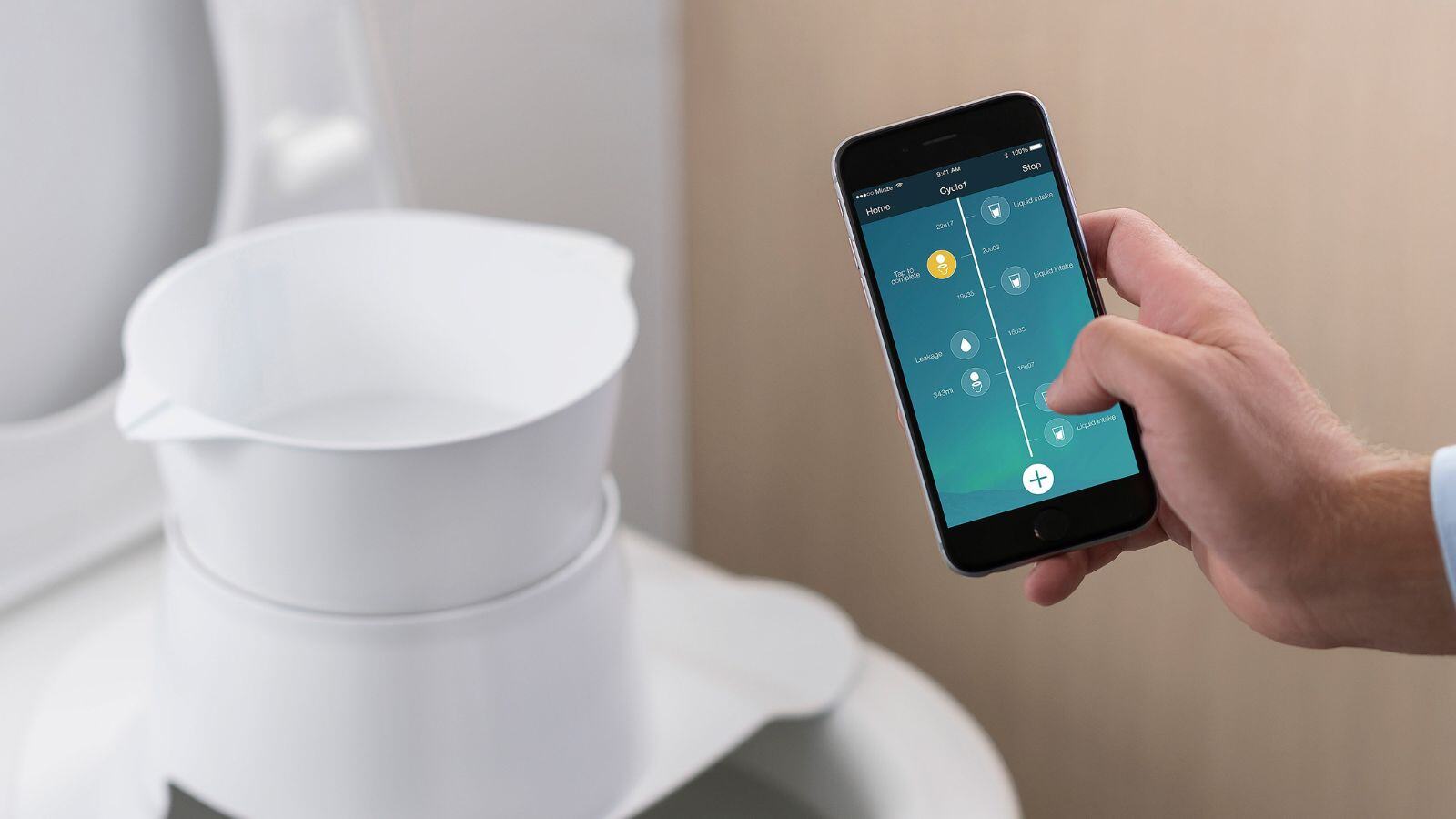
Case study
Successful clinical evaluation supports rapid CE marking of Minze Health's Uroflowmeter
QbD Clinical assisted Minze Health, a urology-focused medical devices company, in obtaining CE marking under MDR through clinical evaluation.
.jpg)
Webinar
The Medical Device CE Certification Pathway Explained: From Classification to Conformity Assessment by the Notified Body
Learn about the Medical Device CE Certification Pathway, from classification to conformity assessment by a Notified Body. Join our webinar on demand.
.jpg)
Case study
Helping Relu to comply with changing regulations
QbD Group supported software company Relu with their expertise to comply with changing regulations.
.png)
Case study
Quickly bringing a new COVID-19 medical device to market
Obtaining the required government certifications for a medical device is always a challenge. Especially when the COVID clock is ticking.
Twitter Widget Iframe